
Colorado children ages 8+ • Online with Rylee
Inside Our Virtual Playroom
A creative place to connect, express feelings and practice new ways of coping—from home.
Wondering how play therapy can work through a screen? Rylee uses PlaySpace, an interactive online playroom where a child and therapist can share activities while staying connected in a live session.
Explore the Fit With RyleeA consultation helps you decide whether virtual counseling is right for your child.
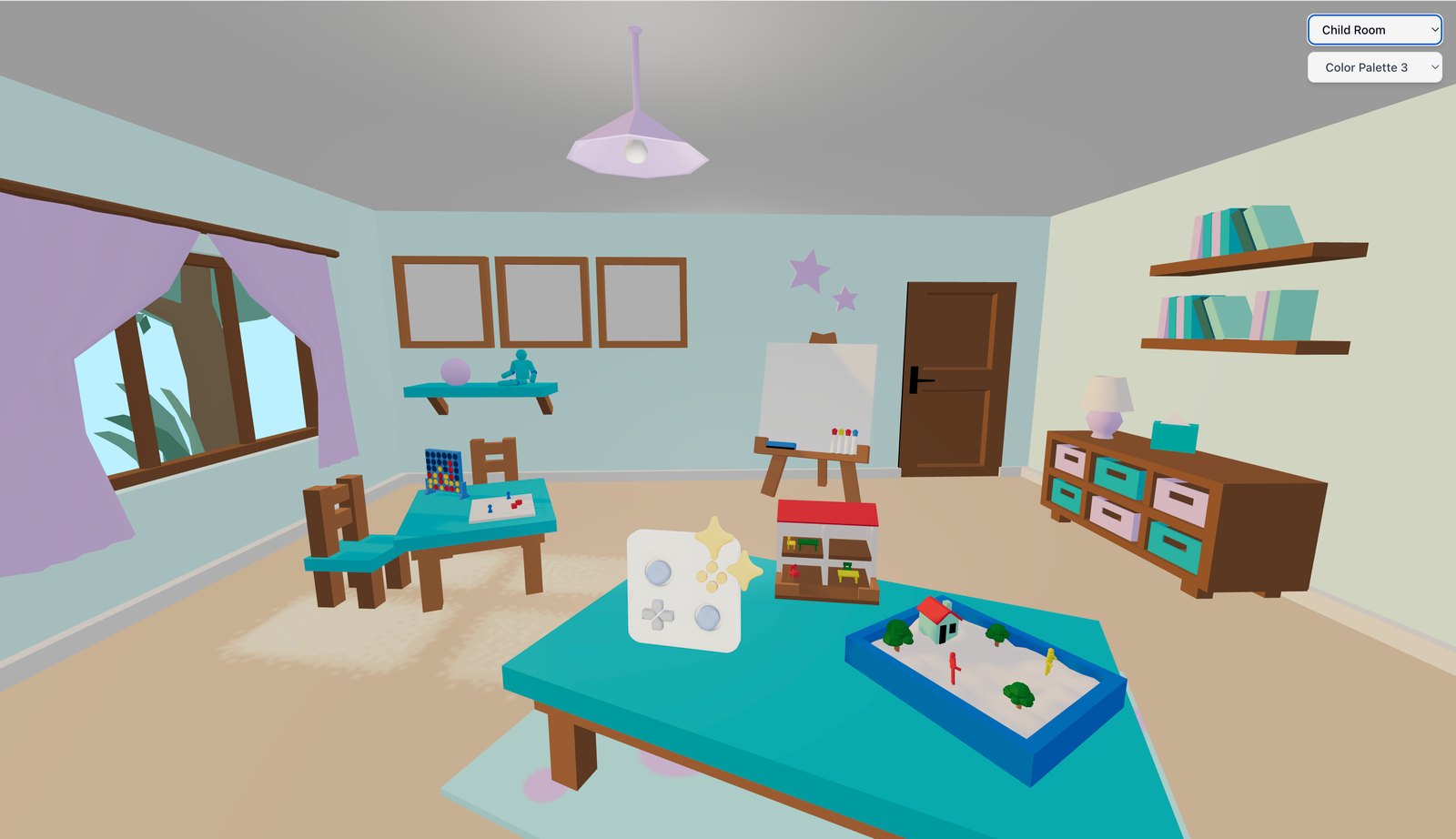
What can a child do in a virtual playroom?
PlaySpace offers visual, interactive tools that can give children different ways to participate. Rylee selects activities around your child’s interests, needs and treatment goals. Every session does not use every tool.
The examples below are possibilities, not a fixed treatment plan. A child’s picture or story is an invitation to understand their experience together—not a test with a hidden answer.
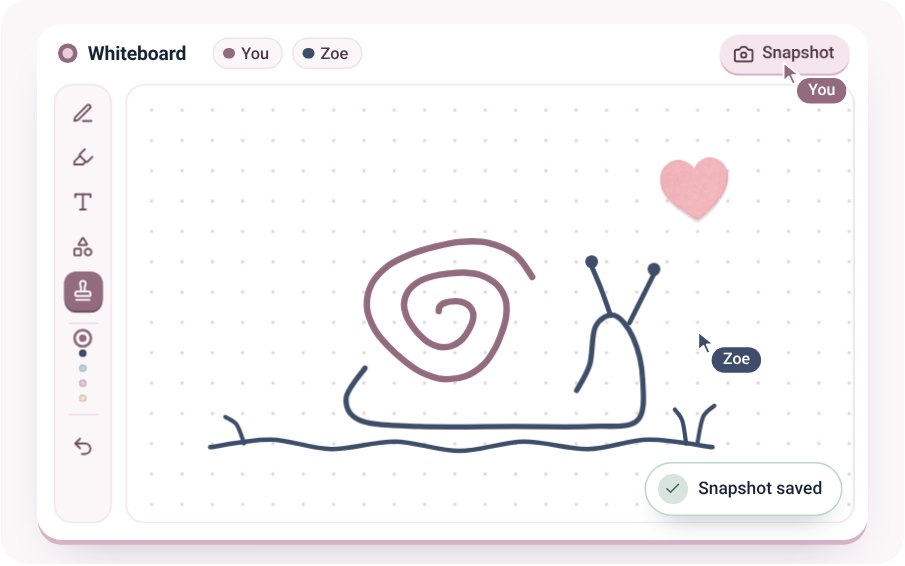
A shared drawing space
The whiteboard gives your child and therapist a place to draw, add shapes and create together.
What that might look like: A child might draw what worry feels like or make a picture of a place that feels calm.
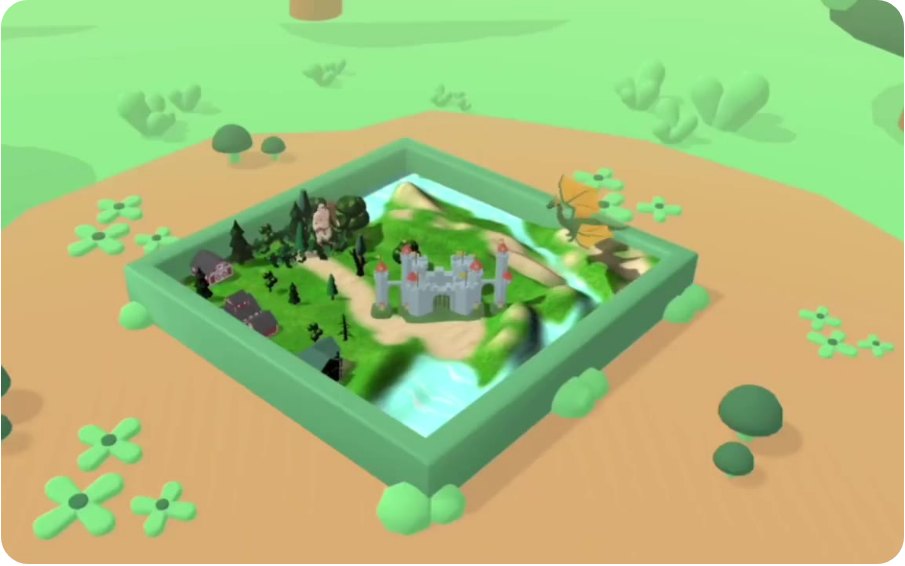
A digital sand tray
Children can arrange figures and scenery to build a story or show an experience.
What that might look like: A child might build a scene about a difficult school day and decide what happens next.
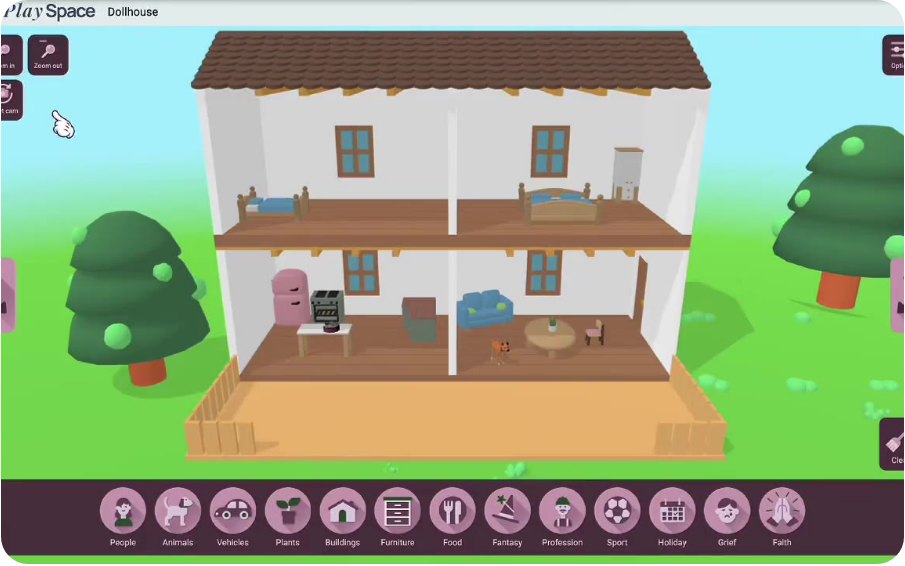
A virtual dollhouse
Rooms, people and objects can become part of imaginative play and storytelling.
What that might look like: A child might create a pretend family story while the therapist follows their ideas.
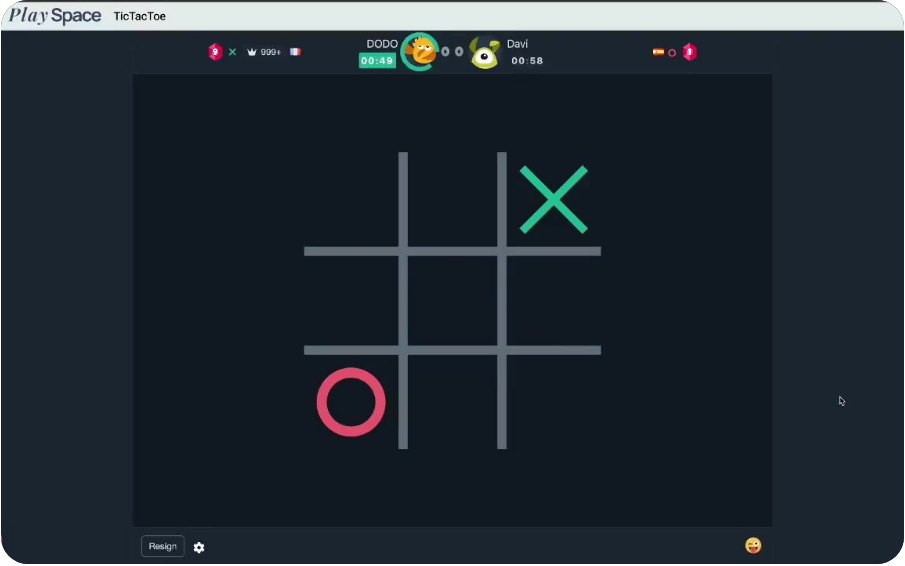
Interactive games
Shared games offer another way to connect while a clinician observes and supports the interaction.
What that might look like: A game might create a chance to notice frustration, practice a pause or talk through a choice.
Images: PlaySpace public platform previews. They show available tools, not an Illuminate client session or a guarantee of which activities your child will use.
Want to see the room in action?
PlaySpace’s public tour lets you preview room types and tools. It is a demonstration of the platform, rather than access to Rylee’s clinical room.
View PlaySpace’s Interactive Playroom Tour ↗
Families do not need to purchase a PlaySpace subscription to request therapy with Illuminate. Rylee will explain how to join your scheduled sessions.
How a session can work
- Start with a parent consultation.Share your concerns, your child’s age and what you hope will change. Discuss fit, paperwork, insurance, privacy and how caregivers will participate.
- Get comfortable together.Rylee helps your child learn the space and get to know her. A conversation, a simple activity or a gentle tour can be a starting point.
- Play, create and talk.Your child and Rylee may move between an activity and conversation. Rylee can follow the child’s ideas, offer an invitation or help practice a skill.
- Connect the experience to everyday life.Depending on the goals, there may be time to name a feeling, try a coping strategy or think about what could help at home or school.
- Review what is helping.Caregiver conversations and progress reviews help guide the plan. If online care is not meeting your child’s needs, discuss a different format or referral.
A small example
A child who says “school is fine” might find it easier to draw a stressful part of the day. Rylee could ask what the child wants her to understand, explore feelings with them and help choose a strategy to try. This is an illustrative example; your child’s work will follow their own needs and pace.
Why families may consider virtual play-based therapy
Less travel
Online appointments remove the drive to an office, which may make therapy easier to fit into family life or access from a rural Colorado community.
A familiar setting
Some children feel more comfortable beginning at home. A predictable space and support with the technology can help them get started.
More ways to participate
Drawing, storytelling and shared activities can offer a starting point when a child does not yet know what to say.
Fit matters more than liking screens.
Rylee offers this service for children ages 8 and older who are physically in Colorado during sessions. Age alone does not determine fit. Attention, development, communication, sensory needs, privacy, available caregiver support and the child’s comfort with the format all matter.
Online therapy does not reproduce every part of an in-person playroom. Some children need in-person support or a different level of care. Bring those questions to the consultation; you do not need to decide by yourself.
What parents need to set up
- A reliable internet connection and a device with a camera and microphone. A laptop or tablet with a larger screen can make shared activities easier to see.
- An up-to-date browser. PlaySpace lists Chrome and Safari among its supported browsers; confirm your device with Rylee before the first session.
- A comfortable, private-enough place where your child can talk and participate without being overheard or interrupted.
- A caregiver who can be reached as agreed with the clinician, plus a plan for technical problems.
- Simple supplies such as paper and markers if Rylee recommends them. You do not need to buy a playroom of toys.
Ask Rylee whether you will join some or all of an appointment, how individual time will work, and how you will receive updates while respecting your child’s privacy.
Questions parents often ask
Is this just more screen time?
The session is time with a clinician, with activities selected to support agreed therapy goals. Your child has a person responding to them, helping them explore and adapting the experience. It is useful to discuss screen fatigue and how your child responds to video appointments.
Does my child have to sit still and talk the whole time?
Rylee can discuss ways to combine conversation, creative activities and appropriate breaks. Your child’s ability to participate comfortably is part of assessing whether the format fits.
Will I be in the room?
Caregiver involvement depends on your child’s needs and treatment plan. Before starting, ask about parent appointments, individual child time, consent, confidentiality and how Rylee will contact you if needed.
Do I need a special account, headset or gaming system?
Follow the joining instructions from Illuminate. The platform runs in a web browser; ask Rylee to confirm your device and any access steps. You do not need to buy a gaming system or virtual-reality headset for a consultation.
What if the internet fails or my child dislikes the format?
Agree on a backup contact plan before sessions begin. Tell Rylee about interruptions, frustration or difficulty engaging so she can consider adjustments or another care option.
What about privacy?
Ask about the platform, who can access session information, whether any recording is proposed, and how parent updates will work. Privacy also depends on the home setting, so plan a space where other people cannot easily overhear.
Can we use insurance?
Rylee accepts most major plans, including Medicaid, subject to individual verification. Confirm your child’s plan, coverage for virtual services and any costs before treatment begins.

Your child’s next step
Meet Rylee. Ask your questions.
Rylee Wisniewski is a clinical counseling intern offering virtual counseling throughout Colorado. A consultation is a place to talk about your child and explore the fit.
Rylee is preselected in the secure scheduling portal. Choose “Light the Way Call” to request a consultation. Paperwork, insurance verification and a review of fit come before ongoing appointments are scheduled.
Request a Child Consultation With RyleeExplore Rylee’s Colorado virtual therapy services · Read our parent guide to online counseling for kids 8+